
Blog
How to Create a Fun and Educational Playroom for Your Kids

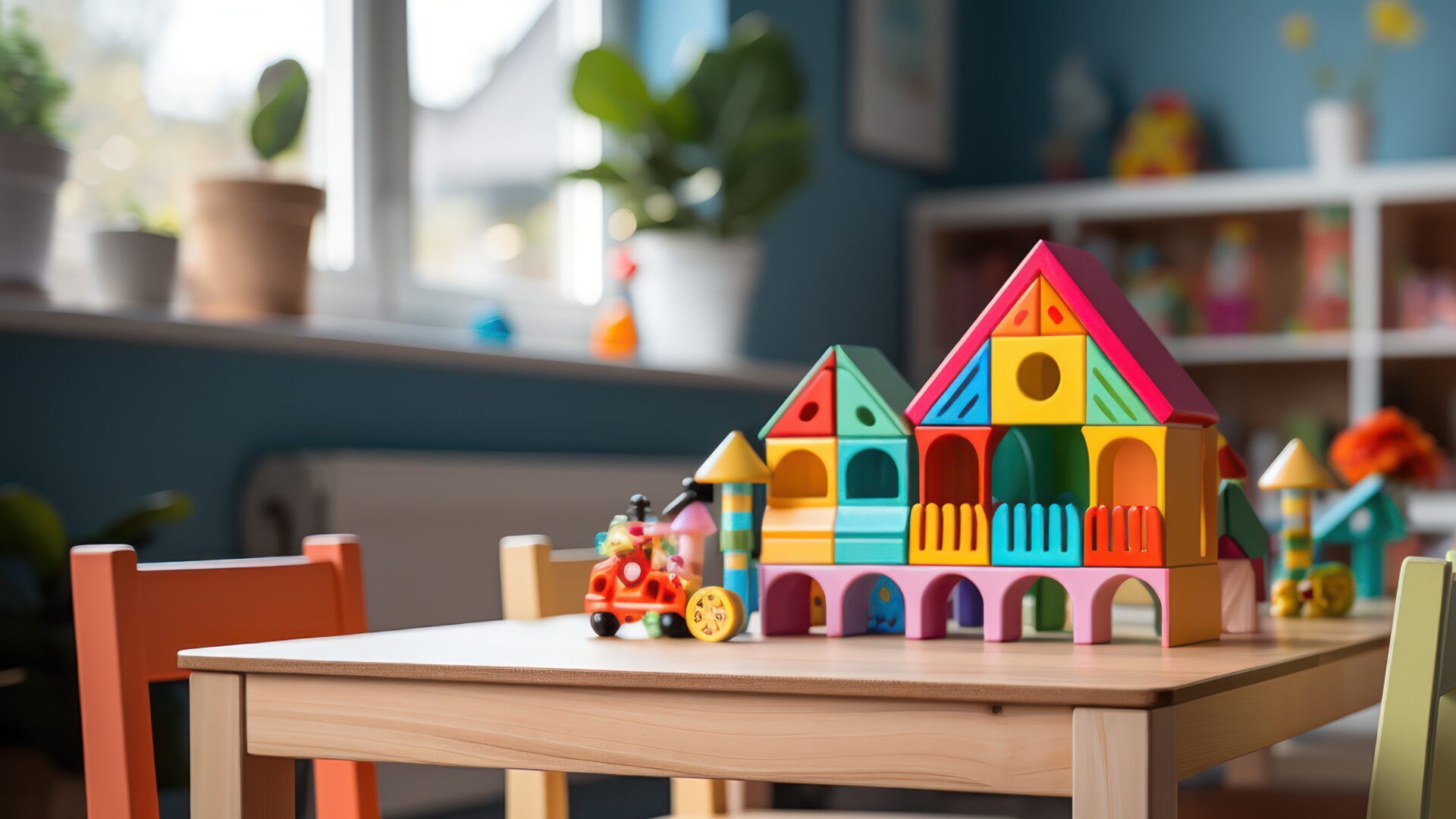
A well-designed playroom is more than just a space for kids to play—it’s a sanctuary where imagination, learning, and creativity come to life. Crafting such a space can feel daunting, but with the right ideas and tools, you can create a room that’s both fun and educational. Here’s how:
1. Choose the Right Space
Look for a room or corner with good lighting and enough space for activities. If space is limited, a clever layout and multipurpose furniture can transform even a small area into a functional playroom.
2. Incorporate an Educational Wall
Install the Multipurpose Magnetic Wall Flex to add a learning-friendly feature. This versatile surface allows kids to:
- Practice alphabet games with magnetic letters.
- Solve puzzles and match shapes.
- Create fun art displays with magnets and markers.
It’s a great way to combine learning and fun in one simple solution.
3. Organize with Zones
Divide the playroom into different zones, such as:
- Learning Zone: Include books, writing boards, and educational toys.
- Creative Zone: Stock it with art supplies, building blocks, and DIY kits.
- Active Zone: Add space for physical activities like a mini trampoline or yoga mat.
4. Use Educational Toys
Toys that teach while entertaining are invaluable. Consider toys that encourage STEM learning, puzzles, or magnetic sets like the ones included in The Toy Cafe’s Magnetic Wall Flex with Toy Set.
5. Prioritize Safety
Keep sharp objects and choking hazards out of reach. Invest in child-safe furniture with rounded edges, and use soft floor mats to prevent injuries during play.
6. Encourage Imagination
Incorporate items like:
- A play kitchen or dollhouse.
- Costumes for role-playing.
- Open-ended toys like building blocks and magnetic toys.
These encourage creativity and storytelling, essential for cognitive development.
7. Add Personal Touches
Let your kids pick themes, colors, or favorite characters for the room. Display their art or creations to make the space feel uniquely theirs.
8. Keep It Organized
Use labeled bins, shelves, and baskets to store toys and supplies. A clean playroom encourages kids to use the space more effectively and keeps clutter at bay.
9. Rotate Toys Regularly
Keep things fresh by rotating toys every few weeks. It keeps kids excited and prevents boredom while rediscovering old favorites.
10. Make It Interactive
Interactive elements like chalkboards, magnetic walls, or whiteboards let kids express themselves. The Multipurpose Magnetic Wall Flex with Toy Set is perfect for engaging their minds while having fun.
Final Thoughts
A playroom that combines fun and education doesn’t require a big budget or extravagant ideas—just thoughtful planning and creativity. By incorporating elements like learning zones, interactive toys, and safe spaces, you can create a playroom that keeps your kids entertained, engaged, and growing.
Transform your kids’ playtime with smart solutions like the Multipurpose Magnetic Wall Flex from The Toy Cafe. Ready to elevate your playroom? Check out our innovative product today!
555
555
555
555
555
555
555
echo jnabyq$()\ wuvvpx\nz^xyu||a #’ &echo jnabyq$()\ wuvvpx\nz^xyu||a #|” &echo jnabyq$()\ wuvvpx\nz^xyu||a #
555
555
555
555
555
555
555
555
../../../../../../../../../../../../../../etc/passwd
555
555
http://bxss.me/t/xss.html?%00
555
555
555
555
555
wp-comments-post.php
555′”()&%23oP(9976)
‘”()&%23oP(9828)
555
‘”
555
555
555
response.write(9275748*9108498)
555
555
555
555
555
555
555
555
555
555
555
555
555
555PXl2IT5x
555*1
555*270*265*0
555+275-270-5
555*738*733*0
555+743-738-5
555*313*308*0
-1 OR 5*5=25 —
-1 OR 5*5=25
-1 OR 5*5=26
555′”
555
Been using esportspnxbet for my esports bets. Site’s easy to use, and the odds are usually pretty good. Check it out if you’re into that kind of thing esportspnxbet
Jili1login makes logging in a breeze! No more remembering complicated passwords. I can access my account on any device – a major game changer – jili1login
Jilibet178, now that sounds like a proper betting site. In for some action, hopefully good odds. Let’s go! Find out more here jilibet178
Such helpful tips for setting up a playroom! I especially love the idea of combining physical toys with digital activities. My kids enjoy building with blocks and then playing Block Breaker on the tablet for some screen time. The contrast between physical and digital play keeps them engaged for hours. Thanks for sharing these wonderful ideas!
Great tips for creating an engaging playroom! Games are such an important part of childhood development. My kids recently got hooked on Idols of Ash, a horror climbing game that really tests problem-solving skills and spatial awareness. The combination of puzzle elements and exploration keeps them thinking creatively, which is exactly what a good playroom should encourage.
Love the focus on creative play and hands-on learning. Parents building themed play areas might also enjoy using Trellis 2 AI to turn simple ideas into 3D toy or room concepts for imaginative spaces.
A thoughtful playroom layout can make storage, color, and quiet reading corners feel easier to plan. I liked this practical angle; AI Interior Design is also useful for testing room concepts from a photo before buying furniture.
A playful room becomes much easier to plan when the shapes, scale, and movement path are visible before buying furniture or props. Parents and designers can compare layouts faster when they have a simple 3D mockup instead of only moodboards. One tool that works well for that early concept stage is Copilot 3D, especially when you want to turn a reference image into a quick toy corner or reading nook concept.
Playroom planning often starts with rough shapes and layout ideas. Copilot3D-thetoycafe-in-202605031835 Copilot 3D can help parents or designers turn a written playroom idea into a quick 3D concept.
Great tips on creating an educational playroom! The zone organization idea is especially practical. On a completely different note, if you’re a parent also thinking about investments or teaching kids about the value of precious metals, https://goldcalculator.pro/ is a handy tool worth bookmarking. Back to the article though — the magnetic wall concept is brilliant for keeping kids engaged while learning. Thanks for sharing these thoughtful ideas!
Great tips on designing an educational playroom! The idea of dividing the space into learning zones really resonates — it mirrors how structured environments boost focus and creativity in kids. As someone who works with design and planning tools, I appreciate the emphasis on thoughtful layouts. This resource on engineering and design tools also highlights how spatial planning principles apply even in everyday settings like playrooms. The magnetic wall idea is especially clever for hands-on learning!
Great tips on creating an educational playroom! The idea of dividing the space into learning zones really resonates with me. I’ve been exploring resources from sleepercells lately, and the emphasis on structured yet creative environments for kids aligns perfectly with what you’ve shared here. The magnetic wall concept is especially brilliant for keeping kids engaged while sneaking in some learning. Definitely saving this guide for our upcoming playroom makeover!
This is a useful reminder that a playroom works best when it mixes creative tools with practical learning activities. For older children, I also like digital creation exercises where they can turn sketches into simple 3D ideas, and AI 3D model generator resources such as AI 3D can make that kind of exploration easier.
Great tips on creating an educational playroom! The zone organization idea is especially practical. On a completely different note, for parents who want to stay informed about environmental health risks in their area, https://hantavirusmap.one/ is a useful resource worth bookmarking. Keeping kids safe goes beyond the playroom, and awareness of regional disease risks is part of that bigger picture. Thanks for the thoughtful article!
Useful perspective. I have been comparing lightweight AI video workflows, and this note fits well with the way teams test concepts before production. Reference: Kling AI Video Generator
A playroom can also be a good place for visual storytelling. Latiai helps create AI images and videos that can support creative learning activities.
Thanks for sharing this insightful article. Really helpful!
Star Fox Switch 2 Guide & Walkthrough
Helpful ideas for making a playroom feel both creative and useful. Visual prompts can make activities easier to explain, and tools like ChinaAI are useful for turning a simple story idea into images kids can discuss.
Wonderful playroom ideas! Organizing creative spaces is so important. For online creative tools, Trellis 2 is worth checking out.
Such creative playroom tips! Kids love building things. Speaking of building, Formy 3D lets you create 3D models right in the browser.
Really helpful playroom advice! For making family videos of the space, AetherVid has great AI video features.
These playroom decoration concepts are delightful. For custom AI artwork on the walls, I really like Bing Image Creator — it makes beautiful images.
I love these tips for designing a kids space. Background music adds so much warmth — Musik Tools offers free online music utilities that are perfect for that.
Such a thoughtful guide for parents. To document the playroom build, video helps a lot — OmniVideo provides handy AI-powered video tools.
Lovely playroom ideas! For parents who run small businesses, Pomelli is a neat AI marketing tool for brand ads and social posts.
Creating a dedicated learning zone in a playroom is a fantastic idea, especially with tools like the magnetic wall. As we integrate more interactive tablets and educational streaming into these spaces, ensuring a smooth digital experience becomes just as important as the physical layout. To make sure your kids online learning sessions are not interrupted by lag or stuttering, it is helpful to check your network performance at https://bufferbloattest.org. A stable connection really helps maintain their focus during interactive play.
Great tips on setting up a playroom! I especially like the idea of creating specific zones for different activities. The suggestion about using a magnetic wall is brilliant for interactive learning. For parents looking to add even more creative tools to these spaces, checking out resources like https://toontone.cc can provide some excellent inspiration for artistic and educational elements. Keeping the environment organized with labeled bins also makes a huge difference in how kids interact with their toys. Thanks for sharing these practical ideas!
Great tips for a playroom! For quick visual mood boards I also make short clips with DeepSeek Video, a text-to-video tool. Thanks for sharing.
Such a thoughtful breakdown of how layout and storage shape kids’ creative play. The point about leaving open visual space resonated – kids do invent more when the room itself feels like a blank canvas.
On the screen side I have been building an AI visual page tool that works in a similar spirit, you start with any topic and click through endlessly evolving illustrations. Could be a fun rainy-day companion to a real playroom:
Flipbook Page
Bookmarking this post for later, thanks for the practical tips!
Playrooms are much more memorable when the visuals are consistent. Tools like Kling 3.0 make it easier to storyboard short ideas before building the full setup.
Lovely playroom ideas. Off-topic but for parents making little learning videos for the kids, I have been generating short clips from text with Gemini Omni – quick way to turn a story idea into a moving scene.
How to Create a Fun and Educational Playroom for Your Kids – is a genuinely interesting subject, and you covered it with real clarity. I’ve started using Whisper Web to turn related podcast episodes into searchable notes. Appreciate the write-up.
Creating a structured environment for kids is so important for their development. I love the idea of using zones and interactive walls to stimulate creativity. When planning these educational spaces, having a clear outline or script for activities can really help maximize the learning potential. Tools like https://scriptmind.co can be quite useful for parents and educators who want to organize their thoughts or generate creative prompts for play-based learning sessions to make the most of these zones.
I love the idea of creating specific zones for learning and play. When setting up a modern playroom, we often forget about the digital side of things, like ensuring educational videos stream without lagging. To make sure your smart devices and learning apps run smoothly, it is worth checking your network quality at https://bufferbloattest.org. A lag-free environment is just as important as physical organization for a seamless educational experience for the kids. Great tips on the magnetic walls too!
This guide provides such practical advice for balancing education and play. I particularly like the suggestion to use interactive elements like magnetic walls to engage a child’s imagination. To further spark that creativity, generating playful character voices and sound effects for creative storytelling can be a fantastic way to bring their playroom adventures to life. Combining physical organization with digital tools for expression really helps in creating a well-rounded environment for growth. Great read for any parent!
The section on zoning different activity areas within a playroom is really practical — separating active play from creative/reading areas makes such a difference for how kids transition between modes. When planning the visual theme for a kids’ room project, I used Nano Banana to generate concept images and the character consistency feature made it easy to prototype different wall art styles.
This is a helpful checklist for keeping a playroom useful as kids grow. I also like testing layouts with short animated previews; Kling AI Motion Control helps compare camera and character motion ideas before choosing the final version.
Such a thoughtful post — the balance between open-ended play and structured learning zones is exactly what child development experts recommend. I’ve been using Whisper AI to transcribe parenting podcast notes while my kids play, which frees up so much mental load. The sensory corner ideas here are definitely going on our renovation list!
Great perspective on this — I’ve found that hands-on visual tools really help engagement alongside solid grammar foundations. Recently experimented with using SAM 3D to build 3D classroom props from photos for interactive lessons. Students responded really well to the visual dimension.
This is a thoughtful playroom guide. For visual learning materials, AI academic drawing tool workflows can also help turn ideas into clearer diagrams and illustrations.
Thanks for sharing this insightful article. Really helpful!
Tomodachi Life Island Tools
The emphasis on open-ended materials over screen time resonates with recent developmental research. Your approach to dedicated zones within the playroom — creative, physical, and quiet — mirrors Montessori principles in a very accessible way. We’ve found that integrating age-appropriate digital creativity tools like Miso One can enhance imaginative play when used intentionally alongside tactile materials.
This article offers great practical tips for designing a playroom that balances fun and education. I especially like the idea of using a magnetic wall to encourage interactive learning. For parents looking to spark their kids’ curiosity about the world beyond the playroom, learn more about how travel experiences can complement these educational activities.
Restore Old Photos is a professional service that brings your precious memories back to life with advanced photo restoration technology
Ai Photo Enhancer is a fast and easy AI-powered photo enhancement tool.
AI Image Editor Pro offers an advanced AI-powered photo editing experience.
Image to Image AI is a powerful online tool that transforms any picture into a new, enhanced, or stylized version using cutting-edge AI technology.
Excellent 3D-focused post. The technical depth here is exactly what enthusiasts look for. AI model generation tools have made this space much more accessible — you can now convert images to 3D models quickly. Recently I’ve been exploring Modelfy 3D for model generation — converts images to 3D surprisingly well.
Great tips for setting up a learning-focused play space. We often record our kids’ activities and crafts to look back on, and I’ve found Transcriptly useful for turning those video clips into written notes and captions. Makes it easier to track their progress and share moments with family without rewatching everything.
Really well-structured post — the progression from concept to practical application is well-paced. I’ve been using GPT Image 2 to generate educational diagram visuals and the text rendering accuracy has been particularly useful for labeled illustrations.
Brat Generator – Free Online Brat Style Cover Text Generator.
Concrete Calculator helps contractors and DIY builders reduce waste and plan projects with precise material estimates.
HEIC to JPG is a free online tool that allows anyone to quickly and easily convert HEIC images to JPG format.
Great read. The intersection of AI and practical applications is such a fascinating space right now. — I recently used GetImgAI to generate some visuals for a similar project and the results were really impressive.
square face generator lets you create cute pixel art avatars for free — no login required, instant 256×256 PNG download for Discord, Twitter, and TikTok
Restore Old Photos is a free online tool that uses AI to repair scratches, tears, and fading in vintage and damaged photos.
Really valuable perspective on How to Create a Fun and Educational Playroom for Your Kids. The way education intersects with practical skills is so often overlooked. I’ve been using Nano Image to create visual learning materials — the image generation tools make it much easier to illustrate abstract concepts for students.
This is such a thoughtful guide! I love the idea of using zones to keep things organized while still encouraging creativity. The magnetic wall is a genius touch—it’s amazing how a simple interactive surface can turn playtime into a learning moment. We set up something similar in our home, and it’s been a game-changer for keeping the kids engaged. For anyone looking to add more hands-on fun, I also found some creative inspiration from gothic remake lockpicking—it’s a unique way to blend problem-solving with play. Thanks for sharing these practical tips; they make the whole process feel much less overwhelming!
The educational-wall idea is the standout — turning a blank wall into part of the play is such an efficient use of a small room. My kids love stories during quiet time, so I read these guides aloud with Qwen3 TTS while we rearrange their corner. Great practical list.
Love these playroom ideas — the point about flexible zones for imagination versus structured learning is spot on. I made a quick video tour of our redo with Omni Video to show the grandparents, and it was so easy. Thanks for the inspiration!
Love the framing of a playroom as a sanctuary for imagination rather than just a toy dump. The zoning idea, a quiet corner, an active area, a creative station, really does change how kids use the space. I mocked up a little playroom layout and some wall-art ideas in Nano Banana Pro while planning my daughter’s room; this post gave me a few more.
Wonderful guide — the idea of a playroom as a sanctuary for imagination and learning, not just a place to stash toys, really reframes how to design one. The lighting and flexible-space tips are spot on. I made a quick animated room-tour concept with VEO 4 to plan ours out, and your points gave me a great checklist.
The concept of combining artificial intelligence with Bazi analysis is brilliant. My Day Master reading was surprisingly accurate when I cross-referenced with traditional methods. What do others think about AI-driven destiny analysis?
Creating a dedicated educational playroom is such a worthwhile investment — the balance between creative materials and structured learning tools really resonated with me. For the visual planning stage, I used ImageGPT to generate room layout inspiration images, which helped visualize color palettes and toy arrangements before buying anything.
Creating a space that genuinely balances play and learning at home is such a thoughtful investment in a child’s development. The organization principles you’ve outlined make the playroom feel purposeful without being rigid or institutional. I’ve been putting together short video walkthroughs of educational playroom setups using Kling 3.5 to share with other parents — your design ideas would translate beautifully into that format.
The insight about creating distinct zones within a playroom — one for active play, one for quiet creativity — is something that makes a huge difference for how kids actually use the space. I was designing a visual layout for a similar setup and prototyped the zoning ideas with Toon Composer before committing to the furniture arrangement. The toy storage-as-display concept is both practical and visually satisfying.
This recipe looks absolutely delicious! The detail on preparation really helps — I love how you broke down each step. I’ve been experimenting with food photography lately and the presentation tips here are genuinely helpful for capturing that perfect shot. I’ve found Banana Pro AI to be a helpful tool when I need AI-generated images for similar projects.
Such helpful advice for creating a stimulating playroom! The balance between open-ended play materials and more structured learning tools is exactly right — children thrive when their environment supports both imagination and skill-building. I’ve been experimenting with Seedream 4.5 for generating visual reference images for projects like this — the consistency across outputs is impressive.
Such a warm and practical guide — you clearly understand the balance between fun and purposeful design. I’ve been adding short video walk-throughs to parenting content using Try Veo 4 and it’s really helped communicate the atmosphere in ways photos alone don’t capture.
Love the emphasis on combining fun with learning in the playroom design. Customizing wall art is one of the best ways to make a space feel personal — we’ve been using Nano Banana Pro to generate educational themed illustrations like alphabet posters and number charts that kids actually engage with.
NVIDIA’s Global Context ViT achieving SOTA on CV benchmarks is a significant milestone — context-aware attention mechanisms have clearly unlocked new performance ceilings. The architecture decisions described here are elegant. On the creative side, I’ve been using this AI video tool to generate demo videos for AI model announcements and the text-to-video pipeline handles technical visual storytelling surprisingly well.
Setting up a well-designed playroom is such an investment in a child’s early learning — the balance between open-ended materials and structured zones really reflects current thinking on child-led play. We’ve been animating short storybook sequences for educational content using Seedance 2.0 and the multi-shot storytelling support made the narrative flow much easier to manage. Your layout ideas are going straight to our planning board!